Match the dock to the controller version
Read the dock's supported model list and identify any required battery pack or replacement battery cover. Some docks charge through dedicated contacts, while others use a plug or an included adapter. A similar controller shape does not establish electrical or mechanical compatibility.
Check the power source included with the dock and the manufacturer's requirements. A USB socket on a nearby device may not supply the arrangement the dock expects. Use the specified setup rather than mixing an unknown adapter and cable because the connector happens to fit.
Inspect the seating path
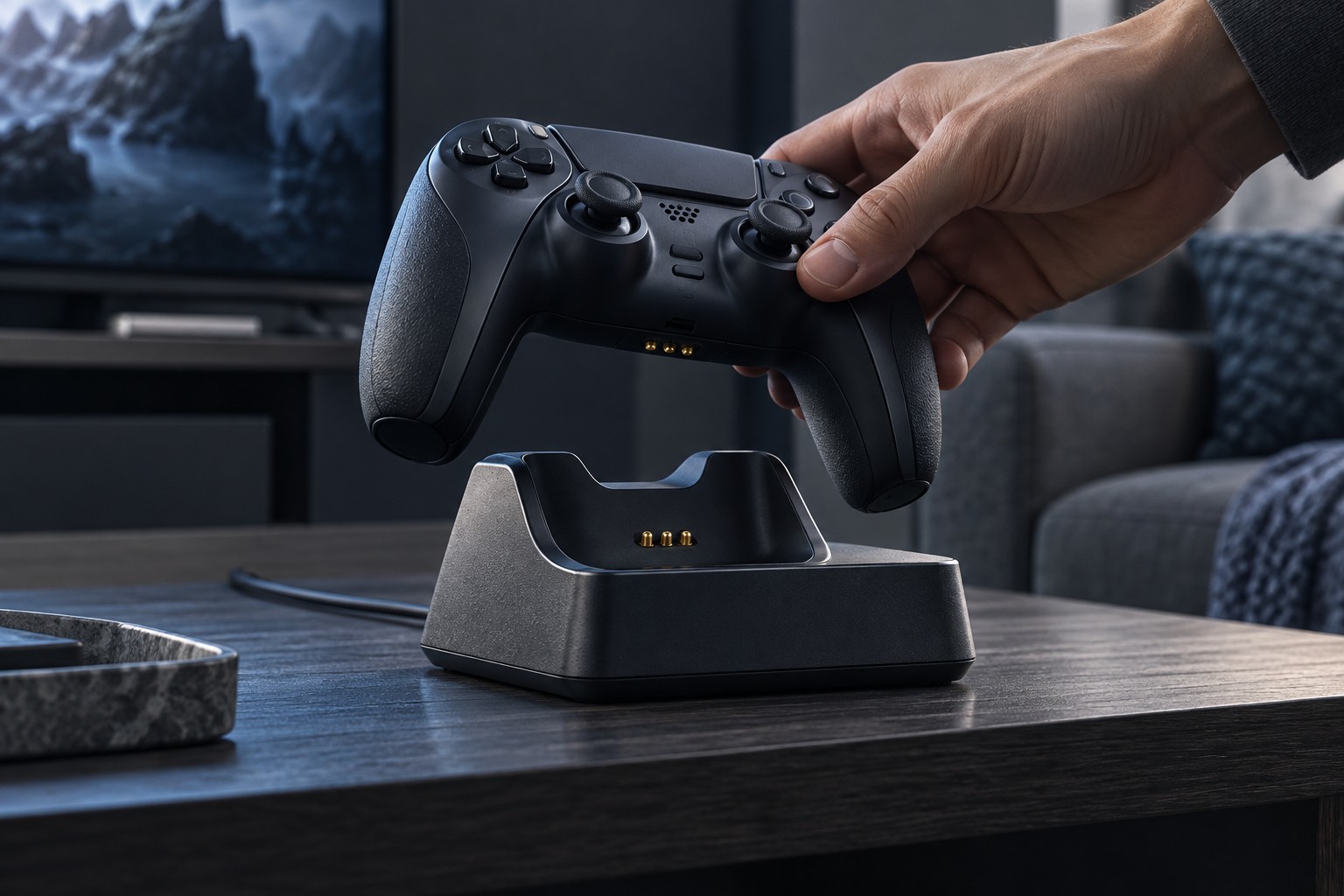
Place the controller on the dock slowly and confirm that it settles into the intended position without rocking. Accessories such as grip sleeves or rear paddles can interfere with seating. Remove them only as instructed, or choose a dock explicitly compatible with the installed accessories.
Watch the indicator change and learn what each state means. A light may show power to the dock rather than active charging of the controller. Check the controller's own battery display after an initial test period so that the indicator's meaning is confirmed in use.
Keep contacts clean using only the maker's recommended method. Do not scrape them with a metal tool or add conductive material to bridge a poor connection. If charging works only when the controller is pressed down at an angle, investigate fit or a fault rather than leaving an object on top to force contact.
Give the dock a stable place
Choose a level location where the controller will not be knocked off by a keyboard cable or a passing hand. Leave enough room to lift it straight out. A dock tucked tightly beneath a monitor may look neat but make each removal pull the power lead or scrape the controller.
For a two-controller dock, test both positions and keep the controllers' profiles or player labels distinct if necessary. Confirm whether each position has its own status indication. This prevents one charged controller from masking that the other was never seated correctly.
Follow storage and charging guidance when the dock will be unused for a long period. If you notice damage, unusual heat or unreliable contacts, stop using the affected equipment and consult support. A charging station should simplify readiness, not depend on repeated adjustments to maintain an uncertain connection.