Make the measurements repeatable
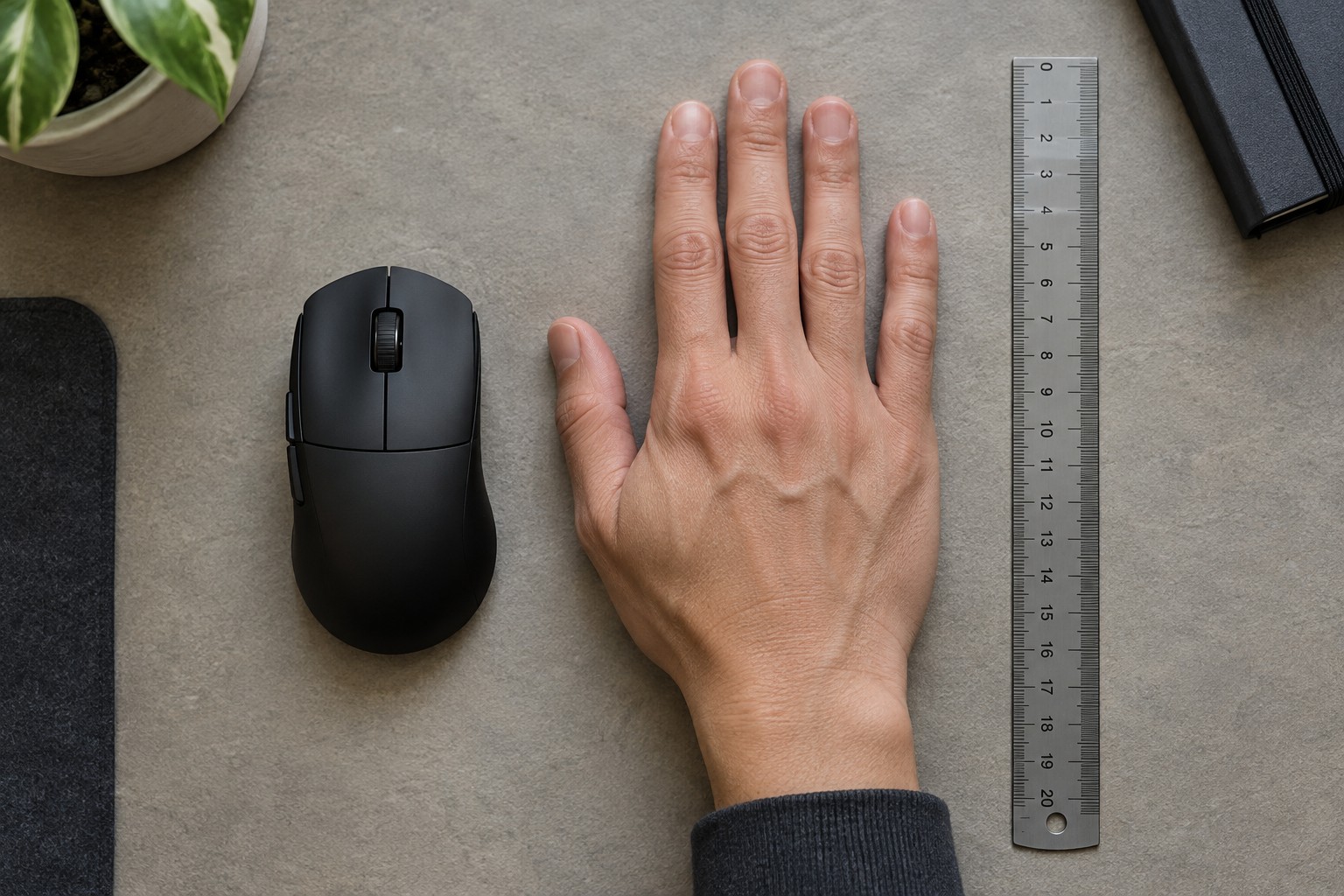
Place your hand flat and relaxed on a sheet of paper. Measure from the base of the palm to the end of the middle finger, then across the broad part of the palm without including the thumb. Record the units and the method. There is no need to squeeze the fingers together or stretch them as far as possible; either action makes a comparison less representative of your normal hand position.
Measure your current mouse as a reference, or find its official dimensions. Write down what feels too large or too small: the reach to the front buttons, the width between thumb and little finger, or the amount of support under the palm. A hand length on its own cannot describe these differences. A familiar mouse gives the numbers a useful physical meaning.
Read dimensions alongside photographs
Manufacturer width figures commonly describe the widest point of a shell. Your grip may sit at a narrower waist, so examine an overhead photograph rather than assuming that the listed width is the space between your fingers. Height needs similar context. A hump close to the rear can feel different from the same maximum height positioned nearer the middle.
Compare the placement of side buttons, the wheel and the main-button ends. A compact shell with a forward side button can require more thumb movement than a longer shell with controls positioned closer to your resting hand. If you use several thumb commands in a game, include that reach in your comparison instead of treating size as a single small, medium or large label.
Do not interpret a seller's hand-size chart as a guarantee. Such charts can be useful sorting tools, but they cannot account for every grip, finger length or preferred amount of palm contact. Keep a candidate on the shortlist only when its shape also addresses the specific problem you identified with your current mouse.
Turn the shortlist into a fit check
Try ordinary movements with a candidate if a display model or return policy allows it. Rest the hand, click, scroll, use the side controls and lift the mouse to reposition it. Notice whether you have to tighten your grip or move the palm away from its natural resting point. Use the same desk area for each comparison so that a cramped mouse pad does not distort the result.
Keep a short note with the model, dimensions and the reason it did or did not fit. Over time, this becomes more useful than a universal size recommendation. The goal is not to find a shell mathematically proportional to your hand; it is to find one that lets you reach its controls and move it without constant adjustment.